Health-GPS

Global Health Policy Simulation model
Global Health Policy Simulation model
| Home | Quick Start | User Guide | Schemas | Models | Architecture | Data Model | Developer Guide | Technical docs | API |
Configuration and JSON schemas
Health-GPS validates experiment inputs with JSON Schema. Schemas live in the repository under schemas/; the Console loads them from the copy next to the built binary. Your config.json should declare which root schema it follows via the $schema URL.
This page explains how schemas fit together and where to look when validation fails. For field-by-field config guidance and examples, use the User Guide - Configuration. For machine-readable definitions, open the JSON files on GitHub or in your clone.
What gets validated
| Input | Typical file | Root schema (v1 path) |
|---|---|---|
| Experiment configuration | config.json |
schemas/v1/config.json |
| Backend data catalogue | data_index.json (in downloaded data) |
schemas/v1/data_index.json |
| Risk-factor / model JSON | Paths under modelling |
e.g. config/models/kevinhall.json, hlm.json, dynamic.json, … |
At startup the CLI parses JSON, resolves $ref links to sub-schemas (data, inputs, modelling, running, output, model-specific files), and reports validation errors before a long run. Use --dry-run to validate without executing trials (see Developer Guide).
Top-level config.json structure
The root schema composes several sections. Optional blocks (such as project_requirements, population_impact_fraction, or output.individual_id_tracking) extend behaviour for FINCH, India, PIF, and per-person tracking without replacing the core layout.
 |
|---|
Root config.json sections and linked sub-schemas (wide diagram — open the image for full size) |
| Section | Role |
|---|---|
version |
Config format version (see root schema const) |
project_requirements |
Per-project switches: demographics dimensions, income categories, PA, trends (schema) |
data |
Where to fetch or find the backend datastore |
inputs |
Country code, population fraction, age range, validation CSV |
modelling |
SES, risk-factor hierarchy, model file references, baseline adjustments |
running |
Random seeds, trial count, baseline/intervention scenarios |
output |
Result folder, filenames, optional individual ID tracking |
population_impact_fraction |
Optional PIF analysis block |
Worked JSON skeleton: examples/config_skeleton.json. Project packs: HealthGPS-examples.
Backend data_index.json
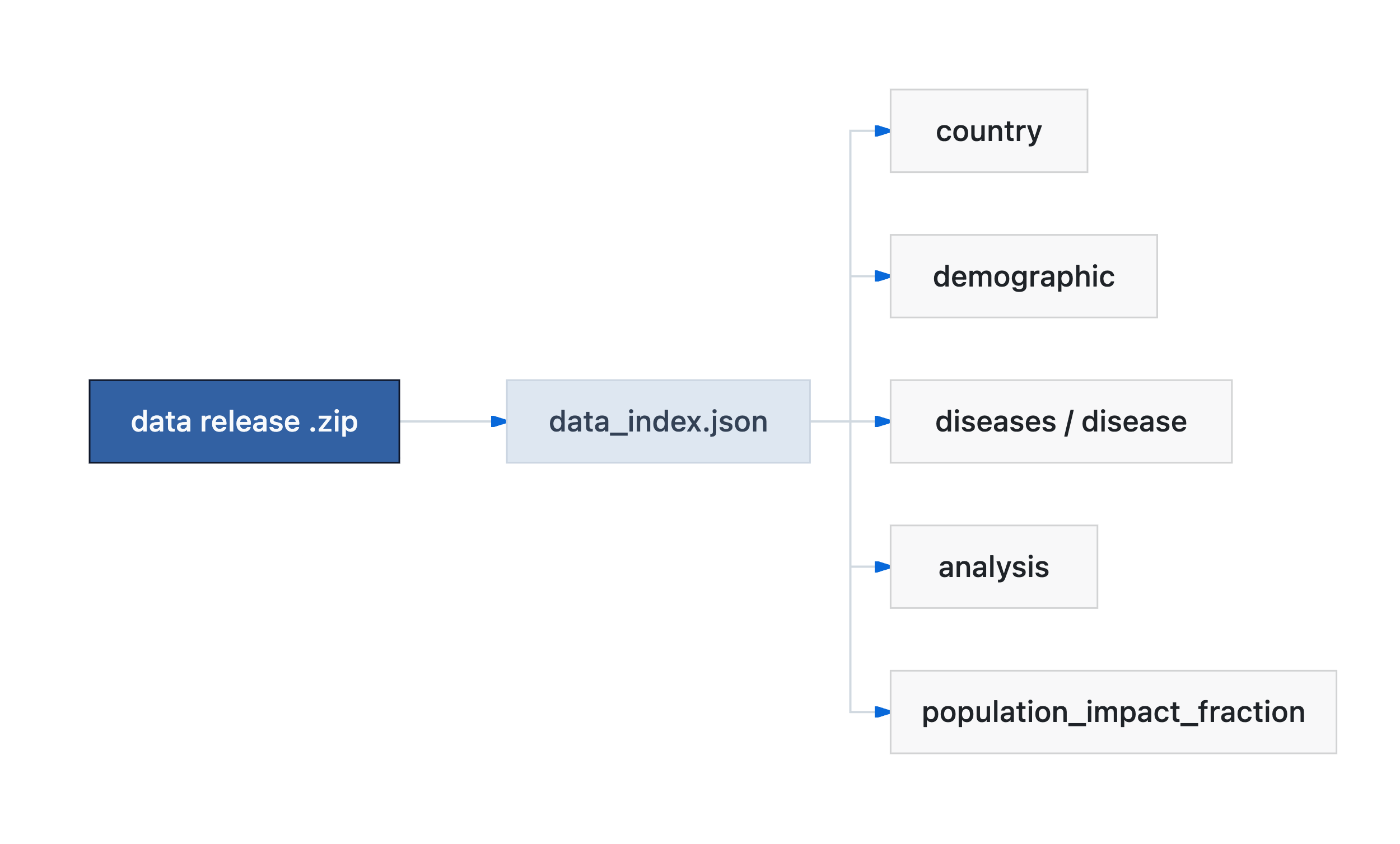
Downloaded or local datastore bundles describe countries, demographics, diseases, and analysis metadata in a separate index file. It uses its own root schema and is validated when the Console loads data.
 |
|---|
Datastore bundle: data_index.json points at country, demographic, disease, analysis, and PIF tables |
See User Guide - Backend storage for how this connects to config.json data.
Schema versions (v1, v2, unified)
The repository may contain more than one schema tree while projects migrate:
| Tree | Typical use | Notes |
|---|---|---|
schemas/v1/ |
STOP / HLM France, India, many current examples | Root $schema URLs often point at .../main/schemas/v1/config.json |
schemas/v2/ |
Extended FINCH-style model definitions | Extra properties on some model schemas |
schemas/config/ |
Target unified layout | Described in the schema migration plan |
Your $schema URL must match the tree the Console expects for that release. If validation fails after upgrading Health-GPS, compare your config’s $schema with the example pack for your project and read the update report (config/schema section).
Legacy fields (for example top-level income_categories or trend_type) may still parse when project_requirements is omitted; the root schema marks many of these as deprecated in favour of project_requirements.
How validation works at run time
sequenceDiagram
    participant User
    participant Console as HealthGPS.Console
    participant Local as schemas/ next to binary
    participant Ref as $ref sub-schemas

    User->>Console: -c config.json
    Console->>Console: Read config $schema URL
    Console->>Local: Load vN/config.json + resolve_uri
    Local->>Ref: config/data.json, modelling.json, …
    Console->>Console: validate_json
    alt invalid
        Console-->>User: Schema error (path, message)
    else valid
        Console->>Console: Load CSVs, run simulation
    end
Schema URLs use the prefix https://raw.githubusercontent.com/imperialCHEPI/healthgps/main/schemas/; the Console maps that prefix to {program_dir}/schemas/ (see src/HealthGPS.Input/schema.cpp). Editing $schema in config without updating the matching files under schemas/ in your build causes “Unable to load URL” or validation mismatches.
When validation fails
- Read the first schema error (JSON pointer + message).
- Open the cited sub-schema on GitHub (table above) or in
schemas/v1/config/...in your clone. - Compare with a known-good config (FINCH, France, India).
- Run with
--dry-runafter fixes. - For new optional features (
project_requirements, income strata, ID tracking), see the matching technical plans and FINCH guide.
Related documentation
| Topic | Document |
|---|---|
| Config sections and examples | User Guide - Configuration |
project_requirements |
User Guide - Project requirements |
| Output / ID tracking schema | User Guide - Output |
| v1 unified migration | Schema migration plan |
| Architecture / inputs | Software Architecture |
Author: Mahima Ghosh